Why people pick it
Banner
Creates a compact inline banner for quick callouts.
App Stack
Formats copy and media for app promo sections.
Editing Copy & Details
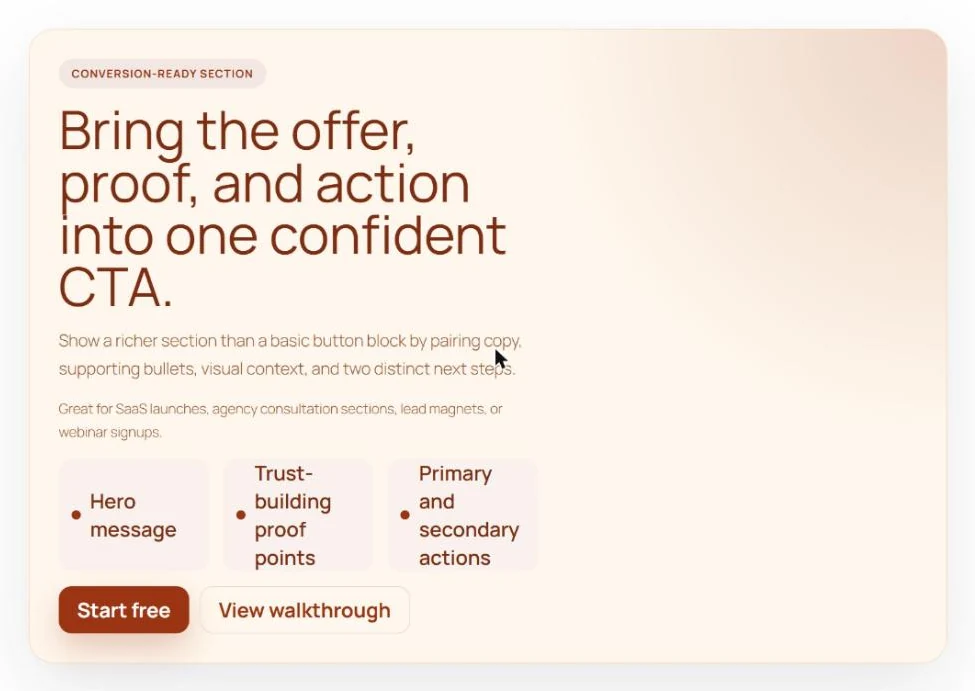
Customize the text fields directly in the sidebar: Eyebrow / Badge: Set a small pre-heading tag (e.g., “New Feature” or “Limited Offer”).
Eyebrow / Badge
Set a small pre-heading tag (e.g., “New Feature” or “Limited Offer”).
How to use it
Install and activate
In your dashboard open Plugins, then Add New, and search for PlexBlocks CTA Section. Or download the zip from WordPress.org.
Add the block
In any page, post or pattern type /cta section and press Enter.
Set it up
Choose the options in the block sidebar. The editor shows the result as you change it.
Publish
Update the page and check it on the front end, on a phone as well.
Everything in the box
- Banner: Creates a compact inline banner for quick callouts.
- App Stack: Formats copy and media for app promo sections.
- Editing Copy & Details: Customize the text fields directly in the sidebar: Eyebrow / Badge: Set a small…
- Eyebrow / Badge: Set a small pre-heading tag (e.g., “New Feature” or “Limited Offer”).
- Heading & Body Text: Craft your main value proposition and body text.
- Supporting Text: Add secondary context or pricing notes.
- Feature List: Enter key highlights or trust points, one item per line.
- Setting Up Action Buttons: Under the Actions tab: Configure Primary Button Label, Primary Button URL, and toggle…
- Primary Button Label: tton Label, Primary Button URL, and toggle whether to open in a new tab.
- Secondary Button Label: ondary Button Label, Secondary Button URL, and target settings.
- Adding Media: Under the Media tab: Upload or select an image from your Media Library.
- Rounded: a media shape (Rounded, Device Frame, or Circle) and set alt text.
- Customizing Styles: Under the Style tab: Fine-tune visual appearance with controls for Card Background…
- Card Background: l appearance with controls for Card Background, Border Color, Text Color, Accent Color…
What is next
Missing something? Tell us what you would like this block to do. Write to [email protected] or use the support forum on WordPress.org.
Recent changes
1.0.0
- Initial release of PlexBlocks – CTA Section for Block Editor.
Questions people ask
Can I use two action buttons in one CTA section?
Yes! You can configure both a primary CTA button (e.g., “Start Free Trial”) and a secondary CTA button (e.g., “Schedule Demo” or “Learn More”).
Do I need a page builder plugin to use this block?
No. The block runs natively inside the standard WordPress Gutenberg block editor and requires no external framework or builder.
Can I customize the colors and spacing to match my theme?
Absolutely. The block sidebar includes controls for background colors, border colors, accent tones, typography colors, padding, border radius, and content gaps.
How does the feature bullet list work?
Simply type your key points into the Feature List field in the sidebar, with one item per line. They will render automatically with stylish proof icons.