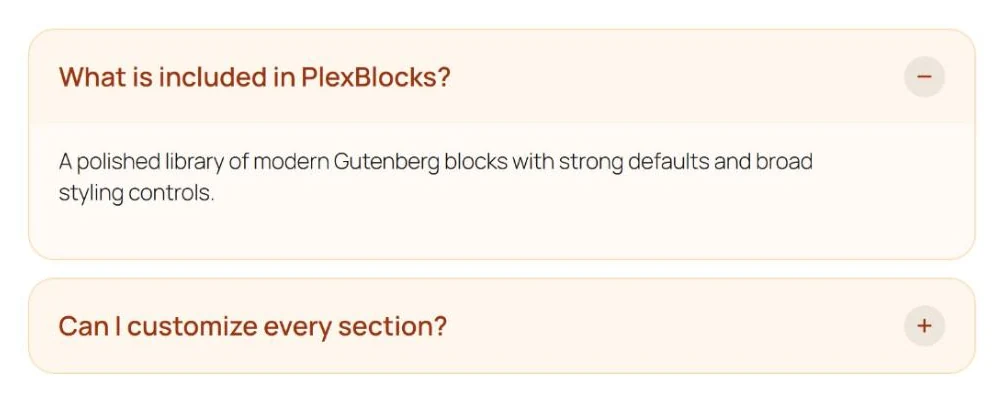
Why people pick it
Single-Open or Multi-Open Mode
Toggle whether only one accordion item stays open at a time or users can expand multiple panels simultaneously.
Zero External Bloat
No heavy jQuery or third-party web frameworks. It runs on lightweight, modern Javascript that won’t slow down your page load times.
Clean Code Architecture
Structured using reliable object-oriented PHP to ensure maximum compatibility with any standard WordPress theme and plugin.
How to use it
Install and activate
In your dashboard open Plugins, then Add New, and search for PlexBlocks Accordion. Or download the zip from WordPress.org.
Add the block
In any page, post or pattern type /accordion and press Enter.
Set it up
Choose the options in the block sidebar. The editor shows the result as you change it.
Publish
Update the page and check it on the front end, on a phone as well.
Everything in the box
- Single-Open or Multi-Open Mode: Toggle whether only one accordion item stays open at a time or users can expand multiple…
- Zero External Bloat: No heavy jQuery or third-party web frameworks. It runs on lightweight, modern Javascript…
- Clean Code Architecture: Structured using reliable object-oriented PHP to ensure maximum compatibility with any…
What is next
Missing something? Tell us what you would like this block to do. Write to [email protected] or use the support forum on WordPress.org.
Recent changes
1.0.0
- Initial release. Features clean code structure, customizable layouts, WCAG accessibility, and automatic Google FAQ Schema markup.
Questions people ask
Does this plugin generate Schema.org FAQ markup?
Yes! When you enable the “FAQ Schema” option in the parent Accordion block’s inspector settings, the plugin automatically generates valid JSON-LD structured data. This helps search engines read your FAQs and display them as rich snippets in search results.
Is the accordion keyboard-friendly?
Absolutely. The accordion is built to comply with modern accessibility standards (WCAG). Users can focus on headers using the Tab key, and toggle them open or closed using the Enter or Spacebar keys.
Can I put images, lists, or buttons inside an accordion item?
Yes! The Accordion Item block uses WordPress inner blocks. You can place standard paragraphs, bulleted lists, image blocks, custom HTML, buttons, or any other block inside your accordion items.
Can I display multiple accordions on the same page?
Yes. You can add as many Accordion blocks as you need on a single page or post. Each block operates independently and can be customized with its own styles and settings.
Can I configure the accordion to close other items when one is opened?
Yes, this is the “Single-Open” mode. You can toggle this setting on or off in the block’s settings sidebar to control how the accordion behaves.