Why people pick it
Right about today
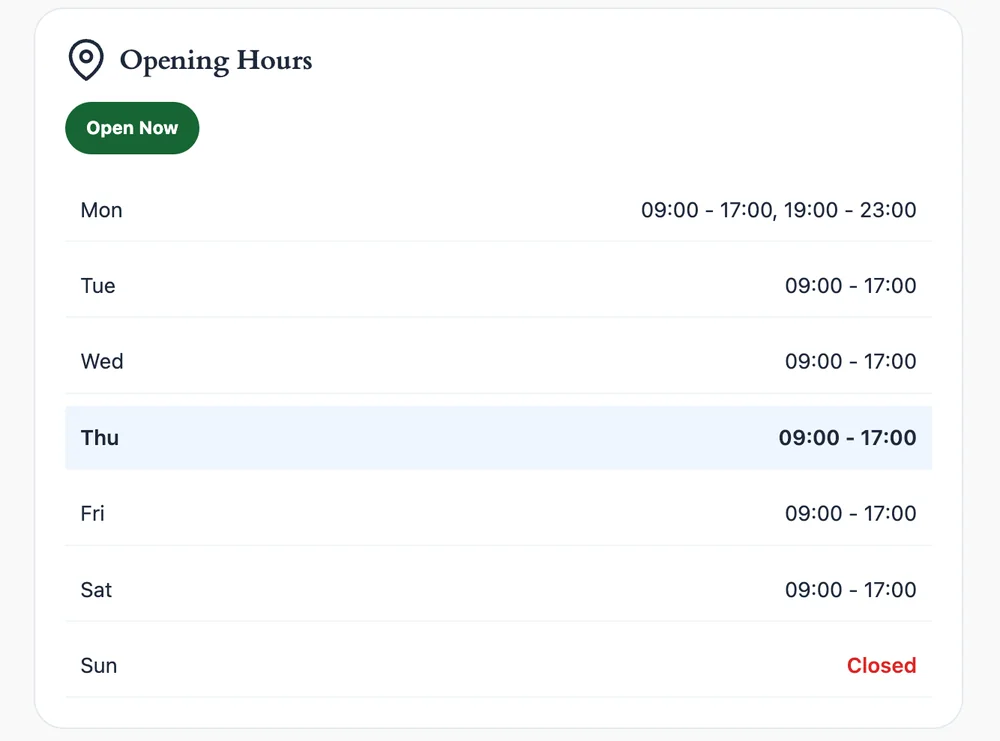
A live Open now or Closed badge in your site timezone, with a line such as Closes at 5:00 PM or Opens at 9:00 AM.
Real opening hours
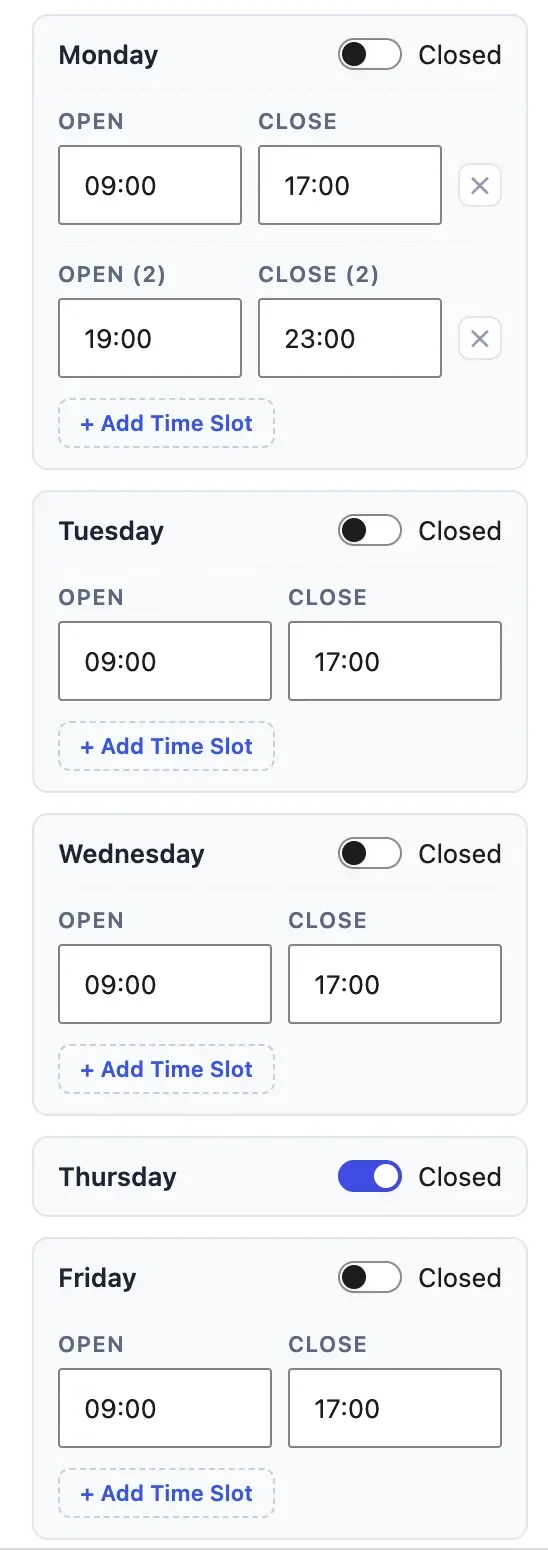
Add as many time slots per day as you need for lunch and dinner service, and handle overnight shifts and holiday ranges.
Help for local search
One switch writes LocalBusiness JSON-LD, with a separate OpeningHoursSpecification for every slot.
Light on the page
No jQuery, no external fonts, no icon library. The stylesheet and script together stay under 20 KB.
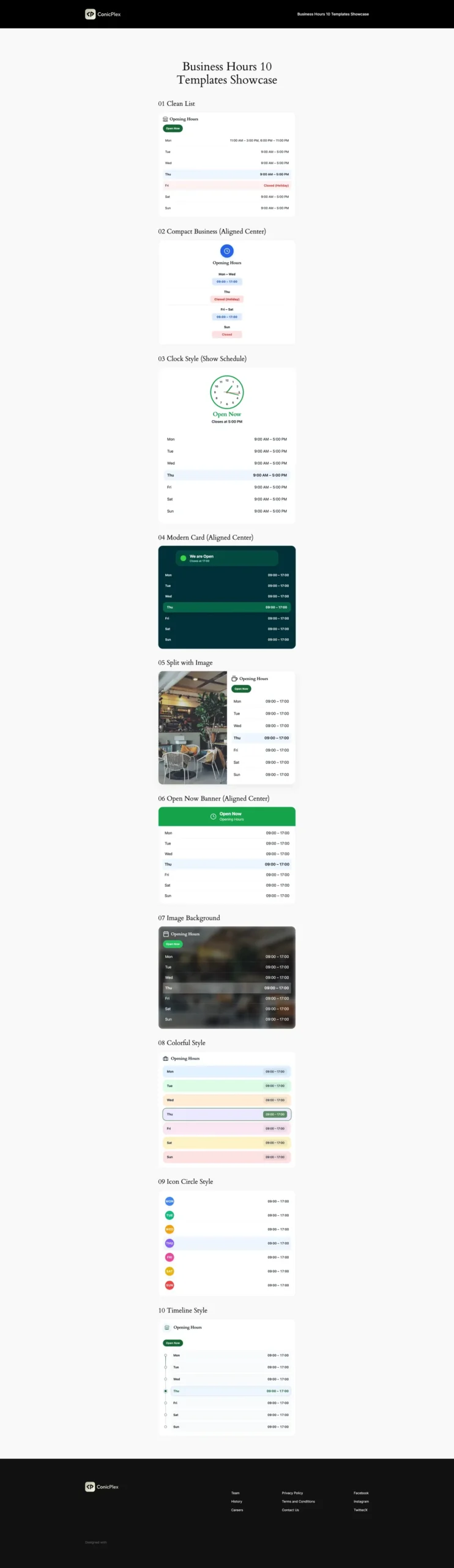
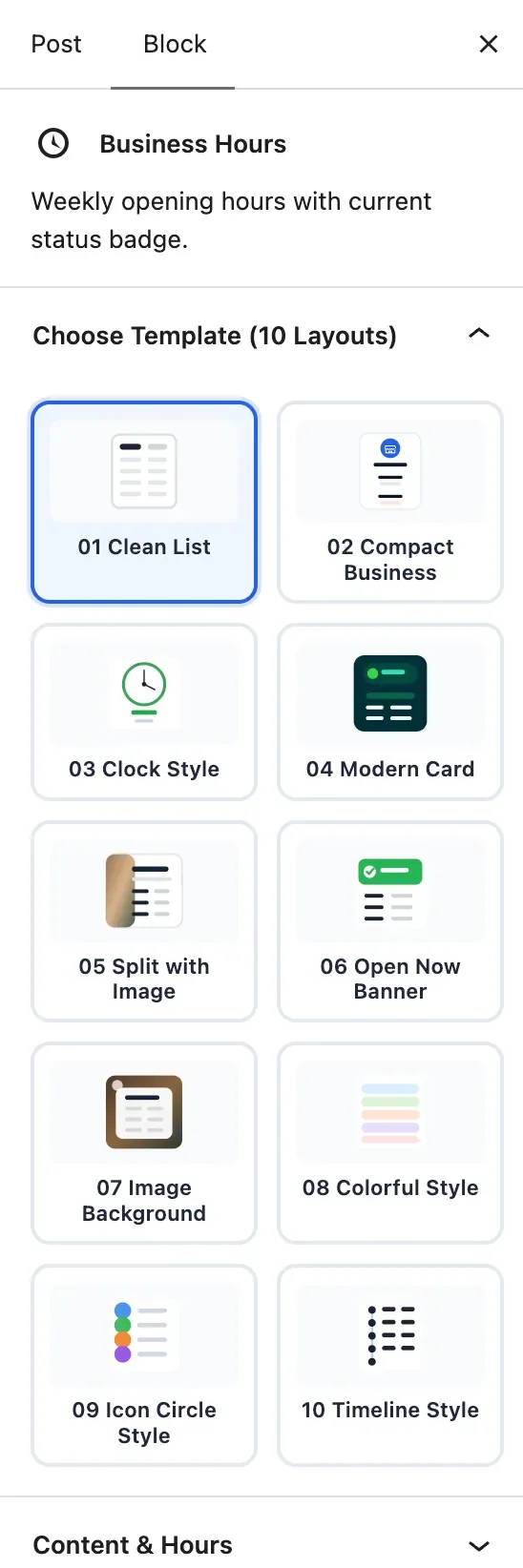
Ten templates, one click apart
Switch the layout from the sidebar. Your hours, slots and colours stay as they are.
- Clean ListA plain table with thin borders and a header badge. Fits almost any site.
- Compact BusinessMade for sidebars and footers. Groups days, for example Mon to Fri 09:00 to 17:00.
- Clock StyleA live SVG analog clock that follows the business timezone.
- Modern CardA dark card with a pulsing dot: green for open, red for closed, amber for a holiday.
- Split with ImageA photo on one side and the full schedule on the other.
- Open Now BannerA full width status bar, so people know before they read the table.
- Image BackgroundHours over a photo, with adjustable overlay and blur.
- Colorful StyleA soft colour chip for every day of the week.
- Icon Circle StyleRound day markers with bold initials.
- Timeline StyleA vertical path with the current day lit up.
How to use it
Install and activate
In your dashboard open Plugins, then Add New, and search for PlexBlocks Business Hours. Or download the zip from WordPress.org.
Add the block
In any page, post or pattern type /business hours and press Enter. The block shows up with sample hours so you can see it straight away.
Pick a template and set the hours
Choose one of the ten layouts from the sidebar, then enter your hours. Use the plus button under a day for a second slot, or switch a day to closed.
Add holidays, turn on schema
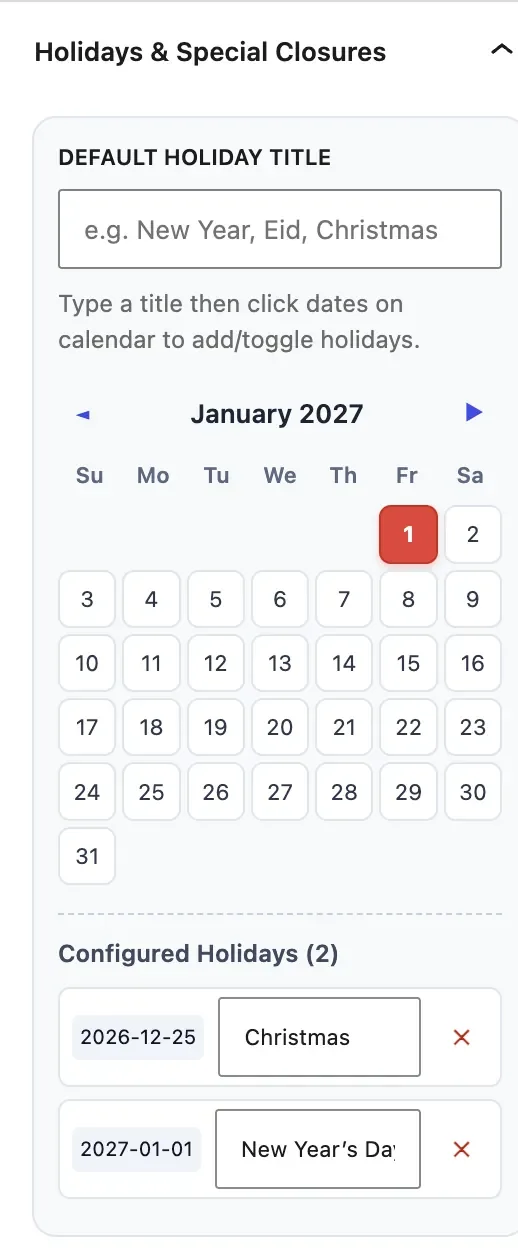
Open the holiday panel to add closures, then switch on schema markup if you want the hours in the page head for search engines.
Everything in the box
- Several time slots per day, added with a plus button
- Open now and Closed badge with a countdown line
- Live analog clock with a ticking second hand
- Holidays as single dates or date ranges, each with its own title
- Today is highlighted automatically
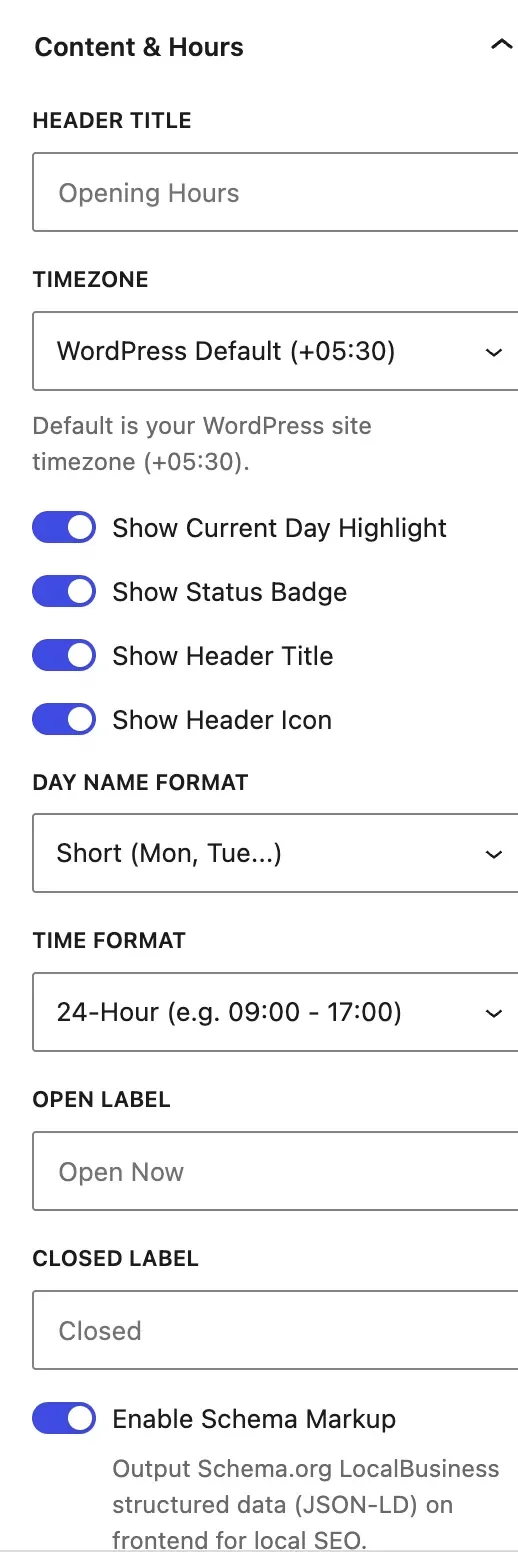
- Any timezone, or the one set in WordPress
- 12 hour or 24 hour times, short or full day names
- Your own Open and Closed labels
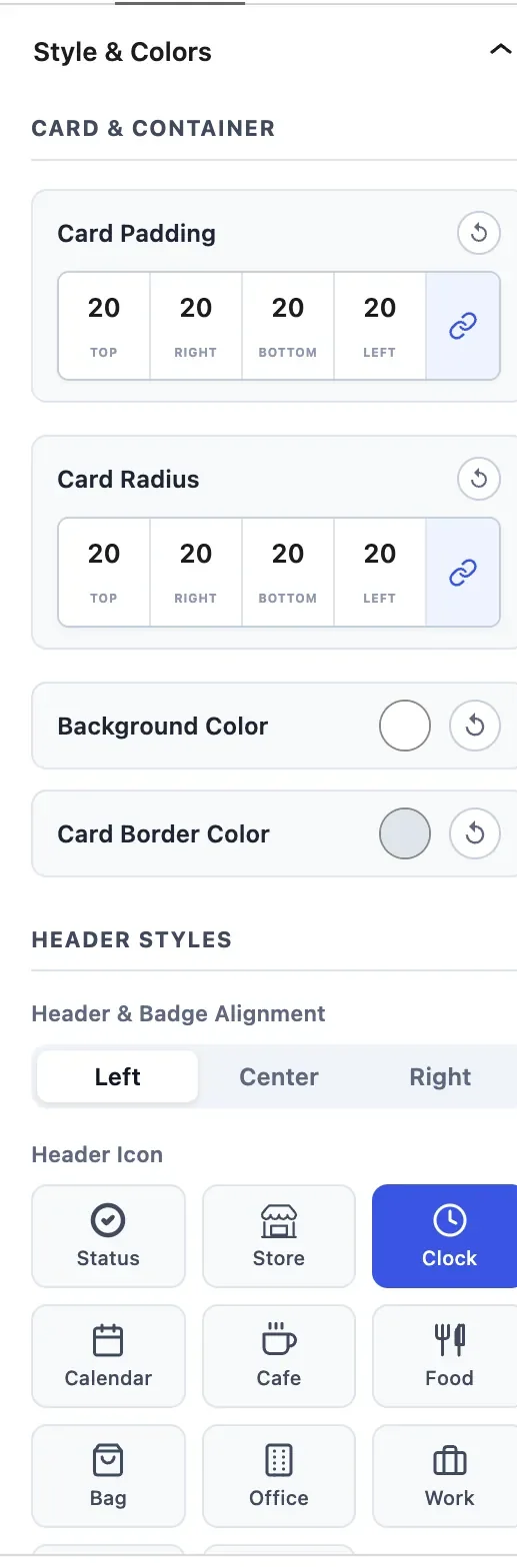
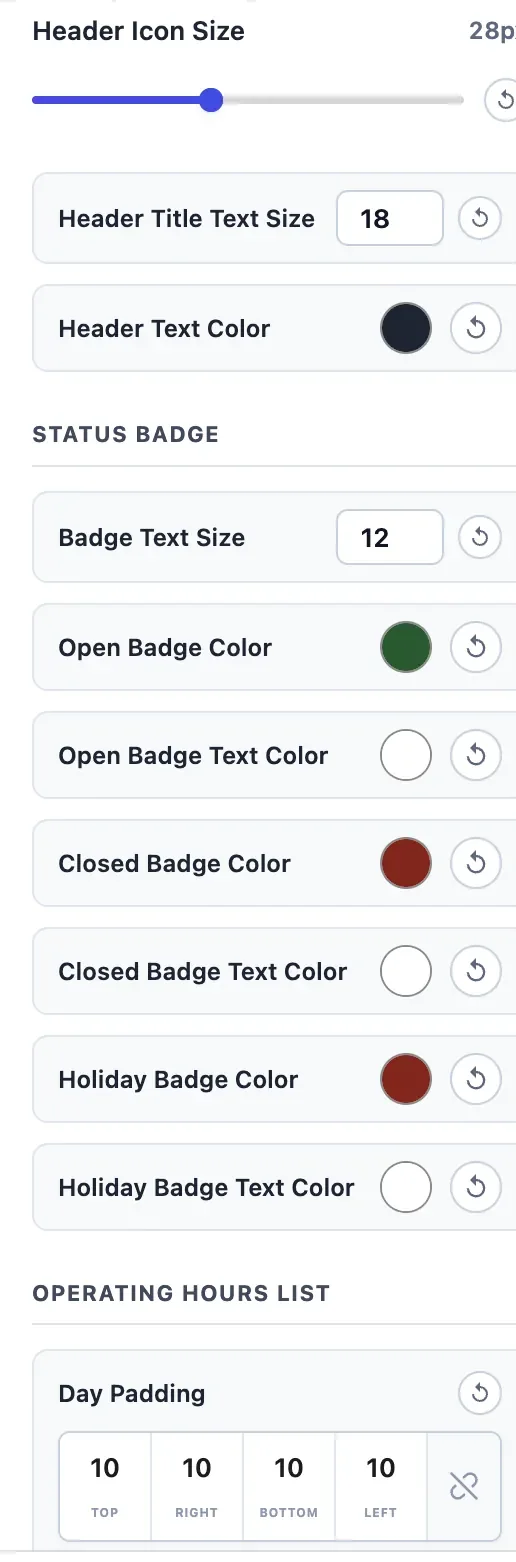
- Colours, borders, shadows, radius and spacing per side
- Built in icon picker, or upload your own logo
- LocalBusiness schema with one clean JSON-LD block
- German and Spanish translations included
- Several blocks on one page, each with its own hours
- An HTML anchor field, so a menu can link to the hours
Inside the editor
Every setting lives in the block sidebar. Open any image to see it in full.
Made for local search
Switch on schema markup and the block adds a single JSON-LD block to the page head. A restaurant that opens from 11:00 to 15:00 and again from 18:00 to 23:00 gets two opening hour entries, so both shifts are readable by search engines.
{
  "@context": "https://schema.org",
  "@type": "LocalBusiness",
  "name": "Your business",
  "openingHoursSpecification": [
    {
      "@type": "OpeningHoursSpecification",
      "dayOfWeek": "Monday",
      "opens": "11:00",
      "closes": "15:00"
    },
    {
      "@type": "OpeningHoursSpecification",
      "dayOfWeek": "Monday",
      "opens": "18:00",
      "closes": "23:00"
    }
  ]
}
Who uses it
- Restaurants and cafes
- Clinics and dentists
- Salons and spas
- Shops and bakeries
- Gyms and studios
- Repair shops
- Law and accounting offices
- Coworking spaces
- Libraries and museums
What is next
Missing something? Tell us what you would like this block to do. Write to [email protected] or use the support forum on WordPress.org.
Recent changes
1.1.0 · Oct 22, 2026
- Several opening slots per day, for split shifts
- LocalBusiness JSON-LD in the page head, with multi slot support and no duplicate tags
- The editor is translatable, German and Spanish included
- A live analog clock with a ticking second hand
- Better midnight crossovers, overnight shifts and holiday ranges
- Mobile spacing and touch fixes across all ten templates
1.0.0 · Sep 7, 2026
- First release
- Ten templates with a one click switcher
- Open now badge with countdown notices
- Holiday and special closure manager
- Per corner radius, per side padding, icon picker and full colour control
Questions people ask
Does it support split shifts?
Yes. Click the plus button under any day to add another time slot, for example 11:00 to 14:30 and 17:30 to 22:00. Remove a slot with the cross.
How does the schema markup help?
With the schema switch on, the block adds structured data to the page head that lists your hours, split shifts and closed days. Search engines can use it for opening hours in results and on maps.
Can I change the Open now and Closed wording?
Yes. The sidebar has an Open label and a Closed label, so you can write something like We are open or Kitchen closed.
How does the live clock work?
The Clock Style template draws an SVG clock and a small timer moves the hands every second, using the timezone you chose for the business. The red second hand can be switched off.
Can I set different hours for holidays?
Yes. Add a single date or a range in the holiday panel and give it a title. On those days the block shows the holiday notice in place of the normal hours.
Does it work in other languages?
German and Spanish translations are included for both the editor and the front end. For any other language use a tool such as Loco Translate, WPML, Polylang or TranslatePress.
Is it responsive?
Yes. All ten templates are built mobile first, columns adapt on small screens and the badges stack without breaking the layout.
Can I use the block more than once on a page?
Yes, for example a compact version in the footer and a full one on the contact page, or one block per branch.
Will it slow my site down?
It uses no jQuery, no external fonts and no icon libraries. The frontend CSS and JavaScript together are under 20 KB. Test it on your own site as you would with any plugin.
Can my menu link straight to the hours?
Yes. Enter an HTML anchor, for example hours, in the Advanced panel of the block, then link a menu item to #hours.